Smart Thermostats, C-Wires & Fan Rewiring
Smart thermostats really do need a C-wire. Here’s what happens when you steal the fan wire instead of pulling a new cable—and when it’s worth running that fifth wire.
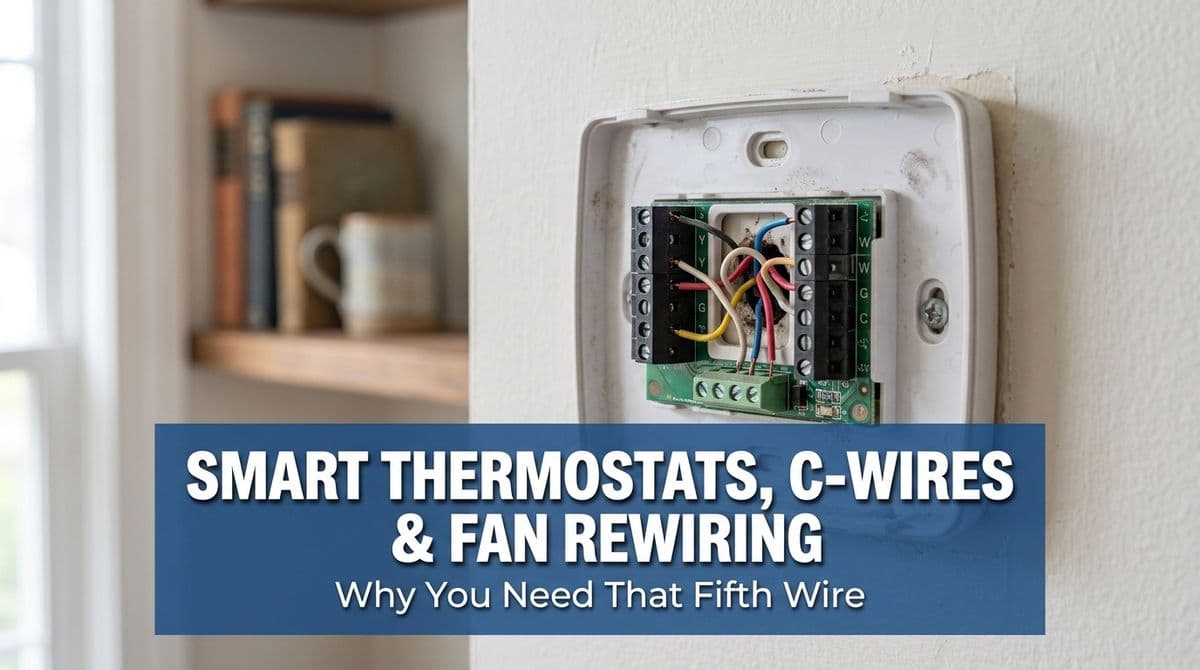
The Call That Sparked This Post
We recently got a call from a customer — let’s call her Lisa — who had us out about a month earlier to help with her smart thermostat wiring.
Lisa had a Nest thermostat with only four wires at the wall. At the first visit, instead of pulling a brand-new 5-conductor cable, the tech on-site did what a lot of people try: he moved the fan (G) wire over to the common (C) terminal to give the Nest the power it wanted. The system would still heat and cool, but Lisa later realized she’d lost manual control of her fan from the thermostat.
On her follow-up call, she told us, “I originally called to pull a new wire. I didn’t realize moving that one wire meant I wouldn’t have control over the fan.” That one sentence is exactly why we’re writing this: to explain why your smart thermostat needs a C-wire, what happens when the fan wire is repurposed as common, and when it’s worth pulling that proper five-conductor cable.
What the C-Wire Actually Does
In a typical furnace or air handler setup, you’ll see these common thermostat terminals:
- R – 24V power (hot)
- C – Common (the return side of 24V power)
- Y – Cooling
- W – Heating
- G – Fan
A basic, old-school thermostat only needed power when it called for heat or cool. Many of them didn’t need a dedicated C-wire at all. Smart thermostats are different: they’re basically tiny computers that:
- Stay on 24/7
- Power Wi‑Fi radios and screens
- Run internal sensors and logic
To do that reliably, they really want a constant 24V power loop. That means they need both R and C, not just R alone. Without C, they may try to “steal” power through other wires, which can cause flickering screens, random reboots, or erratic system behavior.
Why People Rewire the Fan Instead of Adding a C-Wire
When we first came out to Lisa’s home, she only had four conductors at the thermostat. To truly give her R, C, Y, W, and G, we’d need to pull a new 5-wire cable from the furnace/air handler to the thermostat location. That can be simple in some homes and a real project in others, especially if it means cutting access holes, fishing wires through tight spaces, and patching drywall.
Because of that, a common workaround is to say, “We’ll turn your existing fan wire into the new C-wire.” The logic goes like this:
- Move the G (fan) conductor onto C at both the thermostat and the furnace board.
- Let the smart thermostat control the fan indirectly when it calls for heating or cooling.
On paper, the system will still heat and cool, and the thermostat now has a proper common connection. But there’s a big catch.
What You Lose When G Becomes C
Once you convert the fan wire into a C-wire, you lose independent fan control from the thermostat. That’s exactly what Lisa discovered a few weeks after the initial visit. She could no longer tap the “Fan On” or “Circulate” options and have the blower run by itself.
That matters more than most folks realize. Independent fan control is useful for:
- Air circulation on mild days without running heating or cooling
- Evening out hot and cold spots in the home
- Helping air cleaners or UV systems work more effectively
- Running the fan after a cycle to squeeze out a little more heating or cooling
Some systems and thermostats can mimic fan-only modes without a dedicated G wire, but it’s never as straightforward or flexible as having that separate fan control. In Lisa’s case, once she realized what she’d given up, she called us back and said, “I’d like to actually get the five-wire pull, please.”
When You Really Should Pull a New 5-Wire Cable
We always start by laying out the options clearly. For a four-wire smart thermostat setup, you usually have three choices:
- Use a power extender kit (if supported by your thermostat and system)
- Repurpose an existing conductor (like G → C), accepting the trade-offs
- Pull a new 5- (or 8-) conductor cable and wire everything correctly
In our professional opinion, pulling a new cable is the gold-standard solution when:
- You want full use of all smart thermostat features, including fan control
- Your system has multiple stages, a heat pump, or accessories (humidifier, dehumidifier, etc.)
- There’s a reasonable path to fish new wire without major damage
Yes, it can involve opening a few access holes and taking more time, but it sets you up for future upgrades and avoids weird workarounds. That’s why, after reviewing the notes and photos from the first visit, we scheduled a return trip with Lisa specifically to run the proper 5-conductor cable, reconnect G as the fan, and leave her Nest fully powered and fully functional.
How to Check Your Own Thermostat Wiring
If you’re wondering what you’ve got on the wall right now, you can do a quick visual check:
- Turn power off to your furnace/air handler at the switch or breaker.
- Remove the thermostat faceplate to expose the wiring terminals.
- Count how many individual wires are actually connected to terminals.
- Look for labels like R, C, Y, W, and G on both the thermostat and the furnace board.
If you see no wire on C, or you see that the G terminal is empty while the fan still runs with heating/cooling, you may be living with a G → C swap just like Lisa was. That’s not necessarily “wrong,” but it’s a compromise you should understand rather than discover later.
When to Call in a Pro
Running new thermostat cable can be simple in some homes and frustrating in others. If you’re not comfortable with electrical work or you’re unsure how your system is wired, it’s worth having a licensed pro take a look. We’ll typically:
- Inspect the existing thermostat and furnace wiring
- Explain what’s currently in place and what’s missing
- Walk you through options: extender kit, rewiring, or new cable pull
- Give you a clear picture of any drywall or access holes required
For Lisa, the right answer was going back and doing what she originally asked for: a proper five-wire pull. Now her Nest has a dedicated C-wire, she’s got her fan control back, and her system is wired in a way that will support whatever upgrades she wants down the road.
If your smart thermostat is acting flaky, missing features, or you’re not sure what that bundle of wires is really doing, we’re always happy to talk it through and help you land on the right long-term solution.